AI-assisted UX analysis
Find UX friction. Know what to improve next.
Review your website or app for potential usability issues, understand why they matter, and turn the findings into clearer next steps for your next iteration.
30-day trial. No credit card required.
Reviewed source · Step 1 of 4
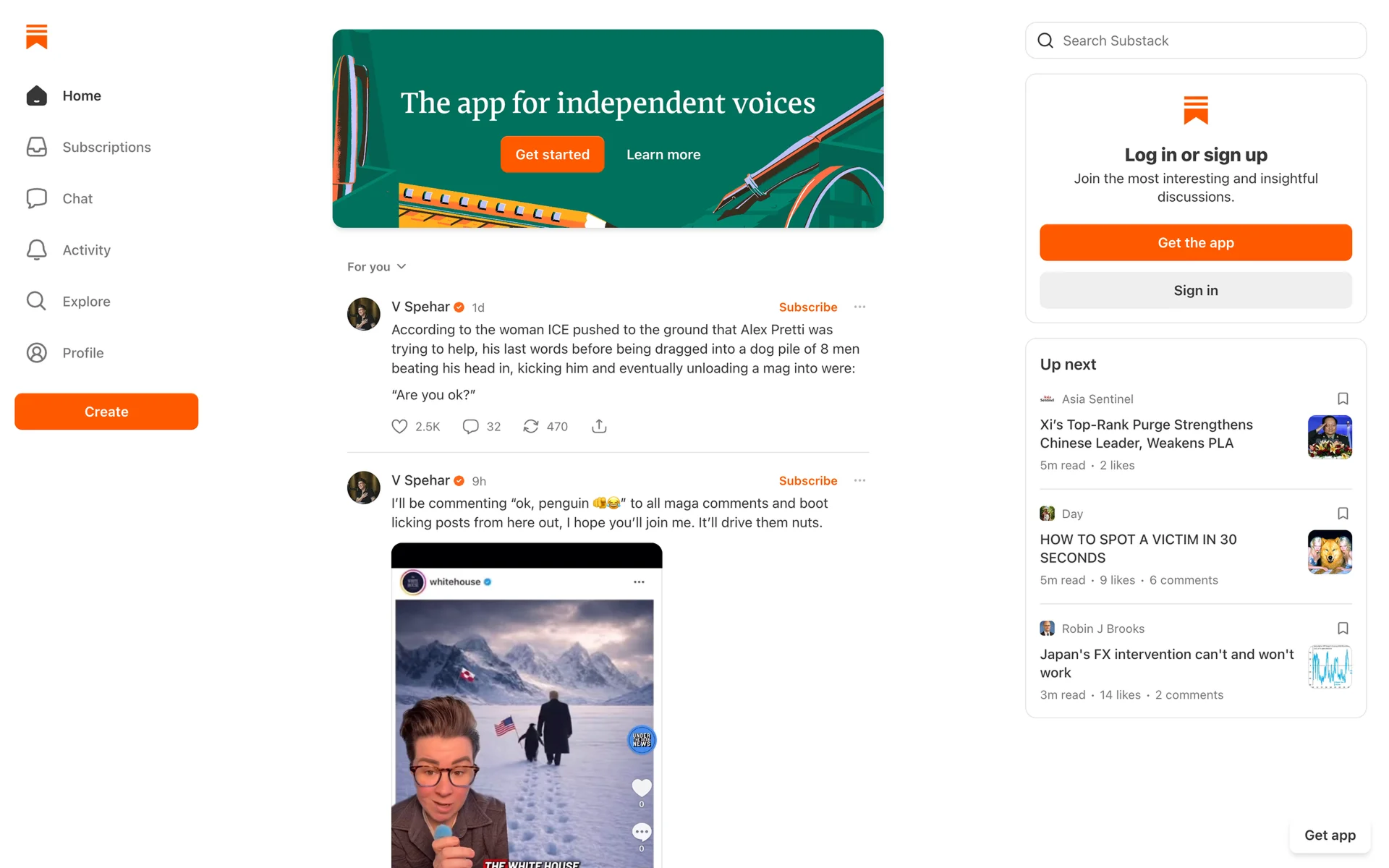
1. Landing page
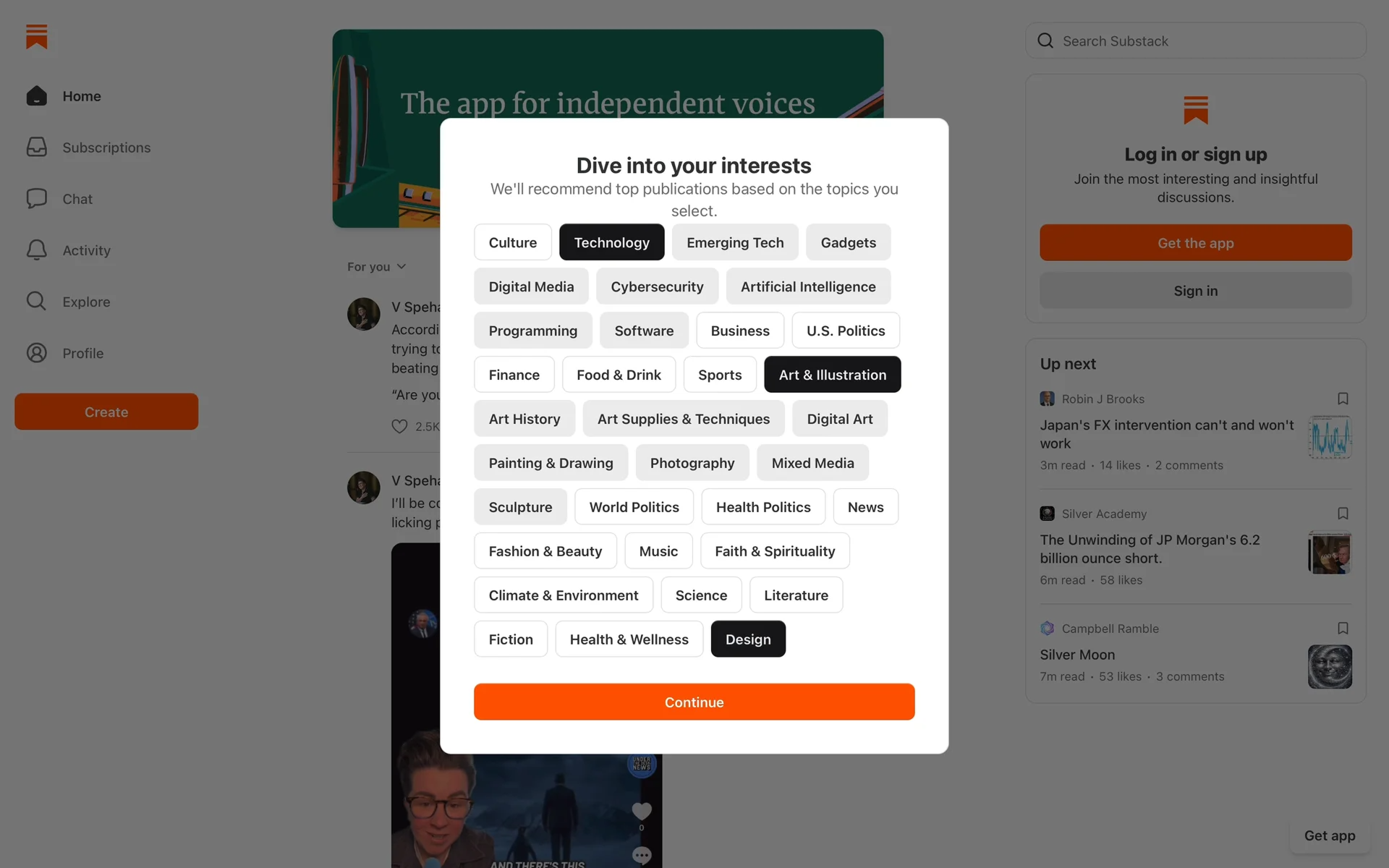
2. Choose topics
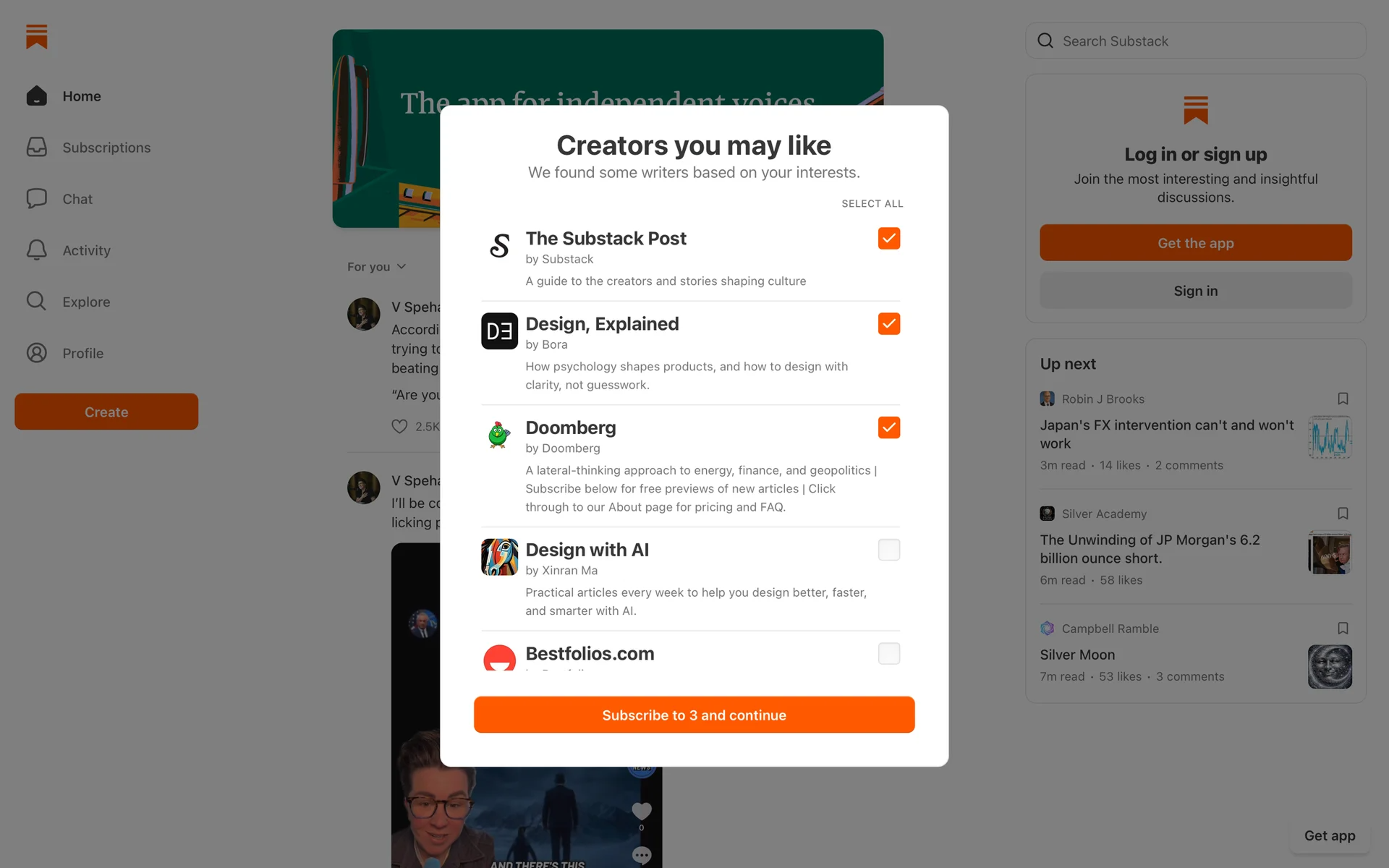
3. Choose creators
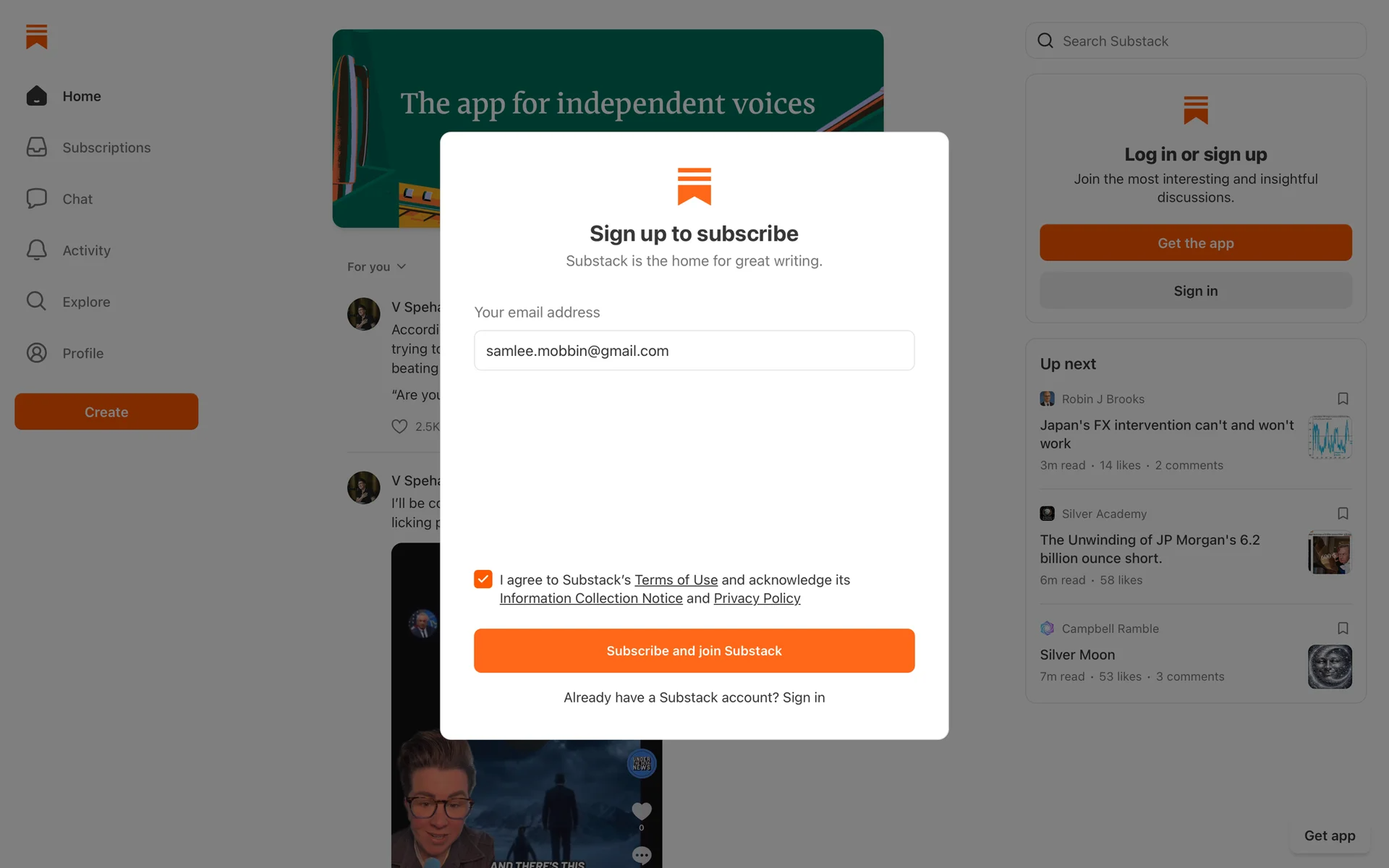
4. Email sign-up
The primary action competes with repeated sign-up prompts.
WHY IT MATTERS
Several calls to action and a busy secondary column make the next step harder to identify at a glance.
SUGGESTED NEXT STEP
Choose one primary sign-up action, reduce repeated prompts, and validate the simplified hierarchy with users.
All data, scores, charts and findings shown in this section are illustrative examples generated for demonstration purposes only. They do not represent actual client results and do not constitute a guarantee of any future performance or outcome.
How it works
From your product to a clearer next step.
A focused workflow that keeps the source, analysis, and decision connected.
- 01
Add your product
Enter a supported website URL or upload screenshots of the experience you want to review.
yourproduct.com/onboarding - 02
Choose your analysis
Select the review method that best fits your question, from a broad scorecard to a focused flow review.
ScorecardFlow - 03
Review and decide
Inspect potential issues and suggested fixes, then choose what to investigate, validate, or improve.
A recommendation, explained
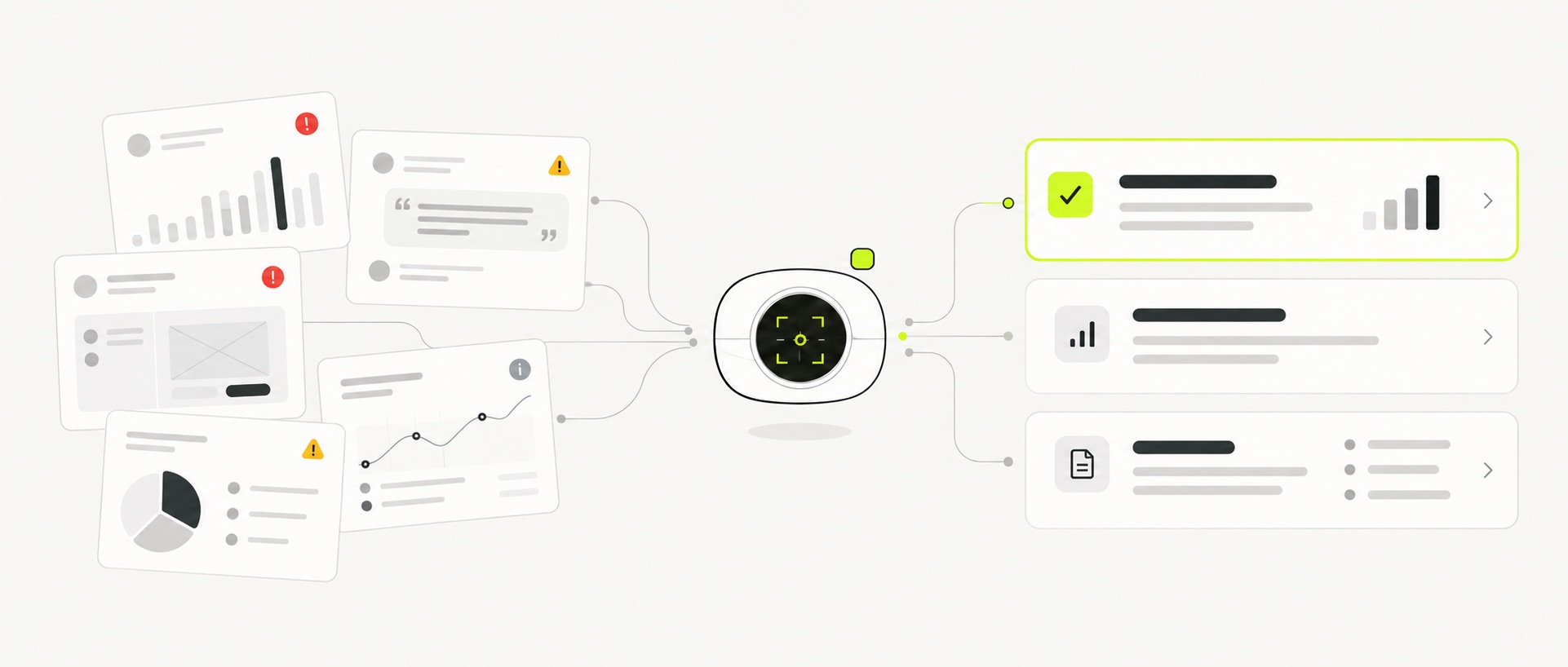
See the issue. Understand the next step.
Flowyce keeps the visible source and the reasoning together, so a recommendation is easier to inspect—not just accept.
SOURCE · EMAIL SIGN-UP
Step 4 of 4POTENTIAL ISSUE
Consent appears selected before the user makes a choice.
WHY IT MATTERS
Pre-selected consent can reduce trust because the interface appears to make a meaningful decision on the user’s behalf.
SUGGESTED NEXT STEP
Leave the option unselected, explain its purpose clearly, and test whether people understand the choice.
All data, scores, charts and findings shown in this section are illustrative examples generated for demonstration purposes only. They do not represent actual client results and do not constitute a guarantee of any future performance or outcome.
The toolkit
Choose the review that fits your question.
Start broad, explore a focused concern, or organize what your team should address next.
Review a web experience across positioning, trust, conversion, lead capture, and traffic. Use the score as a structured starting point—not a measured business outcome.
UX SCORECARD
Broad review result
OVERALL SCORE
A strong foundation with identifiable conversion friction.
Conversion impact projection
CURRENT STATE
PROJECTED STATE
Potential conversion-rate lift
+0.27 pts
5,000 simulations
All data, scores, charts and findings shown in this section are illustrative examples generated for demonstration purposes only. They do not represent actual client results and do not constitute a guarantee of any future performance or outcome.
Built for product decisions
A clearer starting point for your next iteration.
Before a release
Review a key screen or flow for potential usability issues before shipping.
During a redesign
Use findings to frame design changes and questions that deserve validation.
Preparing a client review
Structure UX observations into a clearer, evidence-led discussion.
Designed to support your judgment.
Flowyce provides AI-generated analysis to help you identify questions and possible improvements. Validate important decisions with appropriate user research and product data.
Simple pricing
Start free. Upgrade when it fits your process.
Every analysis uses credits. You always see the cost next to the run button and how many credits you have left.
- 100 credits to explore every tool
- Enough for a focused synthetic test and three Scorecards
- No credit card required
- Nothing is charged automatically when the trial ends
1,000 credits every month, used across all tools in any mix. Cancel anytime.
Runs use 2–100 credits based on research depth. Persona and screenshot counts set the price, which is shown before you run.
| If used for one workload | Credits | Approx. / month |
|---|---|---|
| Extended synthetic tests | 100 | ~10 |
| Standard synthetic tests | 60 | ~16 |
| Standard heuristic tasks | 25 | ~40 |
| UX Scorecards | 20 | ~50 |
Examples assume all credits go to that workload. Unused credits don't roll over.
Questions before you start
What to know about Flowyce.
Clear answers about inputs, interpretation, access, and the trial.
Give your next iteration a clearer starting point.
Review a screen or flow and explore the potential UX issues worth investigating.
30 days · No credit card